As UX experts, our role is to champion the user’s perspective. To achieve this, we need a profound understanding of our users and to enlighten our colleagues about their needs and priorities. Empathy maps, embraced by agile and design communities, are essential tools for achieving these goals.
Definition: An empathy map is a collaborative visualisation that represents our understanding of a specific user type. It helps:
- Foster a shared comprehension of user needs.
- Guide decision-making processes.

This article provides a comprehensive guide to empathy mapping and its applications.
Structure of an Empathy Map
Empathy maps traditionally feature four quadrants (Says, Thinks, Does, and Feels), with the user or persona at the centre. These maps offer insights into a user’s overall persona and are not sequential or chronological.
Empathy Map Quadrants
Says
This quadrant captures what the user vocalises during interviews or usability studies. It should ideally include direct quotes from research.
“I stick with Delta as I’ve always had positive experiences.”
“I need reliability.”
“I’m unsure about the next steps.”
Thinks
Here, we record the user’s thoughts during their experience. What occupies their mind? What concerns them? While content might overlap with ‘Says’, it’s essential to note unspoken thoughts to understand underlying reasons for hesitation.
“This is frustrating.”
“Do I lack understanding?”
Does
This quadrant focuses on the user’s actions. What actions does the user take based on research findings? How do they perform these actions?
Refreshes the page multiple times.
Compares prices from different sources.
Feels
This captures the user’s emotional state, usually represented by an adjective followed by a brief context. Consider what worries them, excites them, or how they perceive the experience.
Impatient: slow page loading.
Confused: conflicting prices.
Anxious: making mistakes.
Interconnecting Quadrants
Users are multifaceted, leading to overlaps and juxtapositions between quadrants. Sometimes, positive actions may be accompanied by negative emotions or quotes. Empathy maps can reveal valuable insights about our users, prompting us to investigate and resolve discrepancies.
Some quadrants may seem ambiguous or overlapping. Don’t stress over precision; focus on comprehensive understanding. If a point fits multiple quadrants, choose the most appropriate one. Quadrants aim to enrich our understanding and ensure we don’t overlook essential aspects. (An empty quadrant signals the need for more research before proceeding with design.)
Individual vs. Multiple-Users Empathy Maps
Empathy maps can be based on individual user insights or an aggregation of multiple users.
Aggregated Empathy Maps
These represent user segments rather than individual users. They merge insights from multiple individuals exhibiting similar behaviours. Although useful, they don’t replace personas but can organise and visualise persona insights.
Aggregated maps can summarise qualitative data like surveys. They can evolve as more research emerges, capturing new insights or revising outdated ones.
Why Use Empathy Maps
In UX, empathy maps foster team alignment and prioritise user needs. They’re invaluable from the design process’s outset.
Benefits include:
- Consolidating user knowledge.
- Identifying research gaps.
- Educating teams about users.
Ensure empathy maps remain dynamic, updating them with new findings.
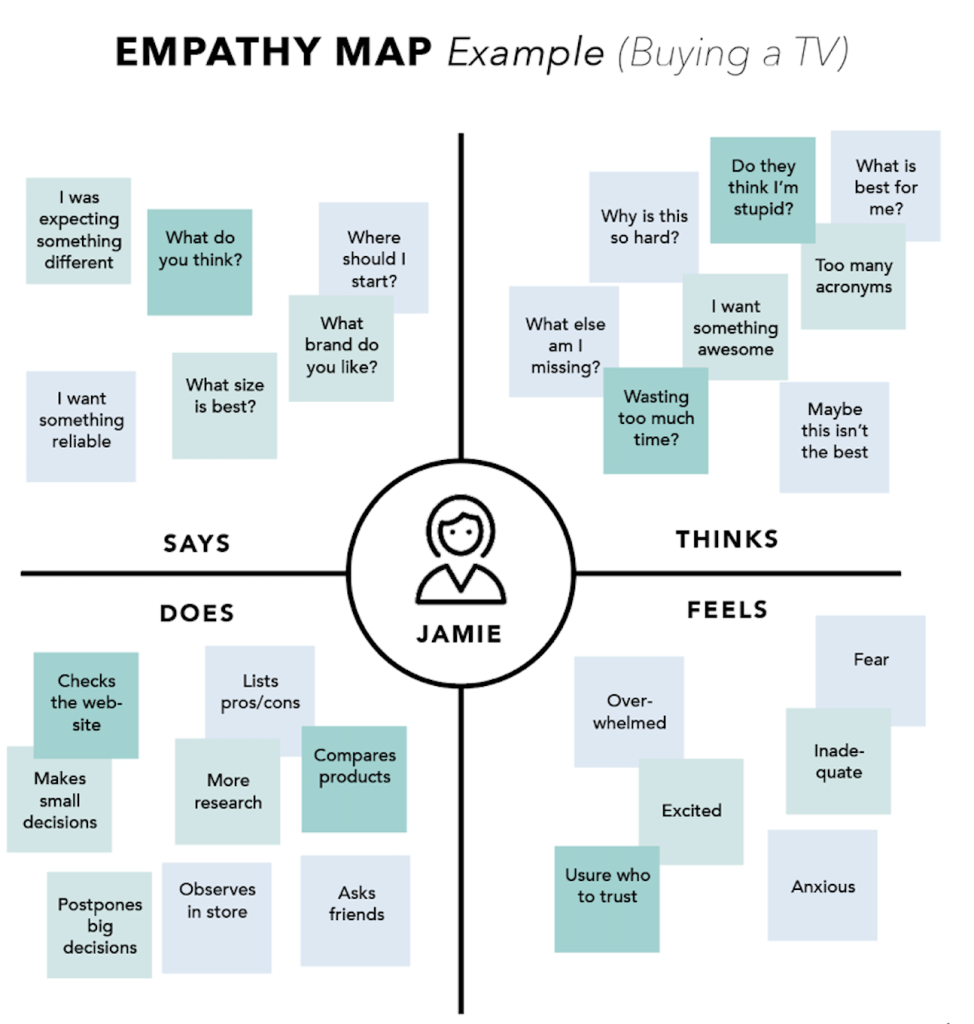
Building an Empathy Map: Step-by-Step
- Define Scope and Objectives
- Determine the user or persona to map.
- Establish the primary goal of empathy mapping.
- Gather Materials
- Choose suitable mediums based on your purpose.
- Collect Research
- Use qualitative methods like interviews, field studies, and surveys.
- Generate Sticky Notes
- Each quadrant should have its own set of notes based on research.
- Cluster and Synthesise
- Group similar notes and discuss them collaboratively.
- Identify common themes and discrepancies.
- Refine and Plan
- Add details or adapt the map based on needs.
- Digitise and document findings for future reference.
Conclusion
Empathy maps enhance our empathy towards users. When grounded in real data and combined with other methods, they:
- Mitigate design bias.
- Highlight research gaps.
- Uncover latent user needs.
- Decode user behaviours.
- Guide innovative solutions.
References
- Bland, D. “Agile coaching tip – What is an empathy map?” 21 April 2016.
- Gray, D., Brown, S. & Macanufo, J. 2010. Gamestorming.
- Gray, D. “Updated Empathy Map Canvas.” Medium. 15 July 2017.